Getting Started with Phantom Ball
Learn the deflect loop, claim codes, and survive your first leagues.
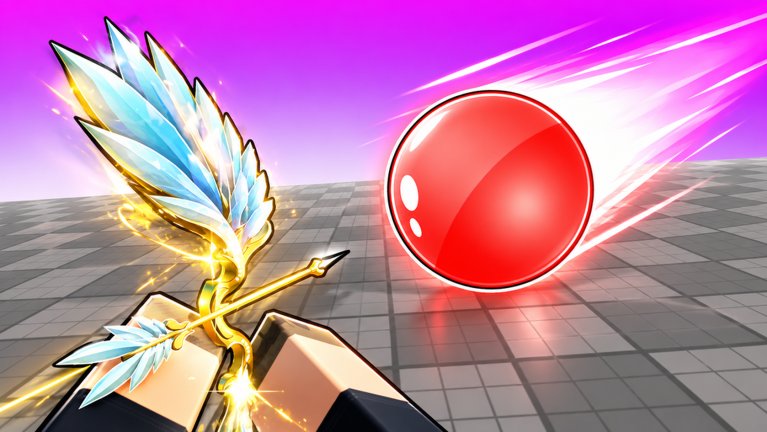
Phantom Ball looks simple until the ball is a blur and three players share your camera space. This Getting Started guide is the day-one plan for Jule Games’ Roblox battleground: understand the win condition, set your controls, claim free currency, practice Block without panic Abilities, then unlock a coherent kit. Follow it in order and you will skip the most expensive beginner mistakes.
Official play link: Phantom Ball on Roblox. The experience has been free-to-play since 2023-04-02 in Action / Battlegrounds & Fighting.
What you are trying to do
Each round fires a ball that gets faster over time. Press Block to deflect it. Players who mistime Block are eliminated. Last standing wins. Map speed boosts and Passives such as Rage (speeds the ball after you Block) raise the stakes. Abilities on Q and 1 are clutch tools - not a replacement for timing.
If you came from similar sword-and-ball games, transfer your camera discipline and high-ground habits. If you are brand new, pretend Abilities do not exist for your first twenty matches.
Minute 0-10: lobby setup
- Join a server and wait for the lobby UI to finish loading.
- Open More -> Codes and redeem every working string from the Codes Hub. November 2026 examples include GEMSCAREPACKAGE, FREECRATE, 7MVisits, PHNTMBLL, SABERSRCOOL, RELEASE1000, WheelSpins, SPINNY, and UPDATE9 - recheck because they expire.
- Join the verified Jule Games group and like the experience when prompted for extra Gem tips.
- Open Controls in another tab and confirm Block = F / Tap / UI / Left Click, Ability 1 = Q, Ability 2 = 1, Passive = automatic.
Do not spend all Gems yet. Bank them until you know which Ability you lack.
Minute 10-40: Block bootcamp
Queue matches with one goal: survive to mid-speed using only Block. Stand on high ground when possible so you see approaches earlier. On mobile, use a fingertip - not the whole pad of your thumb - for cleaner taps (detailed in How to Parry).
Death review questions:
- Was I late, early, or simply off-camera?
- Did a speed pad amplify a Rage return I was not ready for?
- Did I panic-click Block three times and eat cooldown awkwardness?
Warm-up beats cosmetics. A Red Saber from SABERSRCOOL will not Block for you.
First unlock priorities
After timing feels human:
- A forgiving Ability such as Immunity
- A tempo Ability such as Wind Force
- A Passive that rewards Blocks - Rage is the community poster child
- Fashion Sabers and extra Spins last
Read the Abilities and Passives pages before dumping Spins. The Tier List Hub explains S-C meaning.
Economy without burnout
Gems / diamonds fund items, Crates, and progression. Win streaks and leagues on the Players Hub multiply how fast you feel progress. Use Farming Gems for routes that combine codes, pads, and efficient match lengths. Skip shady generators and skip auto farm scripts - the Scripts Hub exists with hard ban warnings for exploiting.
Abilities without bad habits
Once you own two Abilities, open Ability Combos. The oft-cited Immunity + Wind Force pairing works because you survive chaos, then force a bad angle. Beginners waste Immunity on the first slightly scary ball and then die naked. Hold tools for 3+ player piles.
Spatial Awareness helps if your deaths are information deaths. It will not fix slow fingers.
Fair play rules you must know early
- Exploiting and auto farming -> permanent ban
- Macros / autoclickers -> only in the AFK lobby
- Official codes -> safe
- Random executor pastes -> your risk alone
Learning with scripts teaches dependency. Learn manually first; revisit Scripts later only if you accept losing the account.
First-week checklist
| Day | Focus |
|---|---|
| 1 | Codes, controls, Block-only matches |
| 2 | High-ground habits + How to Parry drills |
| 3 | Unlock Immunity-style Ability |
| 4 | Add Wind Force or Spatial Awareness |
| 5 | Equip Rage-style Passive if available |
| 6 | Short league / streak session |
| 7 | Recheck Updates and codes |
Common beginner traps
- Spending every Gem on Crates before owning a Save Ability
- Ignoring speed pads then blaming “lag”
- Watching the ball only - scan opponents’ positions too
- Queueing while tilted after two quick deaths
- Trusting expired codes from old screenshots
Where to go next
- Timing deep dive -> How to Parry
- Full bind reference -> Controls
- Combo practice -> Ability Combos
- Currency -> Farming Gems / Codes
- Meta -> Tier List Hub
- Patches -> Updates
- Big picture -> Phantom Ball Wiki
Phantom Ball rewards calm hands. If you remember only three lines from this guide: redeem codes early, practice Block before shopping, and save Abilities for true emergencies. Everything else on this wiki builds on those habits.
Frequently Asked Questions
Quick answers to the most common Phantom Ball questions.
Is Phantom Ball free to play?
Yes. It is a free Roblox experience by Jule Games released on 2023-04-02. Optional Spins and Crates use earned Gems or event rewards.
What should I unlock first?
A forgiving Ability such as Immunity, then a tempo tool like Wind Force, then a Passive like Rage. Sabers can wait.
Where do I redeem codes as a new player?
In the lobby open More -> Codes -> Enter -> Redeem. Full working lists live on the Codes Hub and expire over time.
Can I use scripts while learning?
You can, but exploiting and auto farming are permanently banned. Learn manual Block timing first if you care about the account.
How do I win a round?
Deflect the ball with Block, eliminate others through smart redirects and Abilities, and be the last player standing.